
Ovibox - Spirit Box & ITC Tool
Paranormal Tech UnitedLifestyle
4.4189.00 Reviews
- Version
- 3.0.0.8
- Installs
- 10.00K
- Age Rating
- Everyone
Screenshots
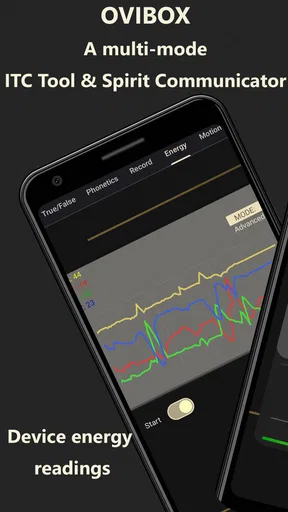
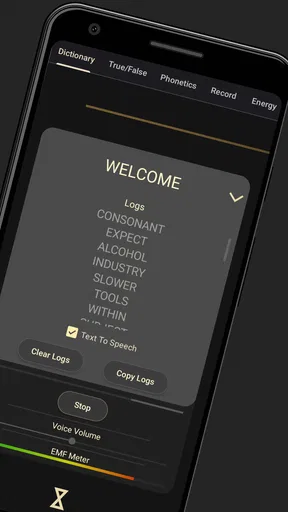
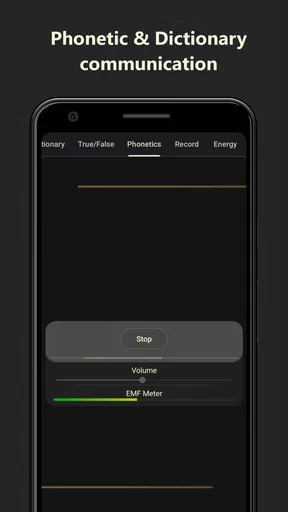
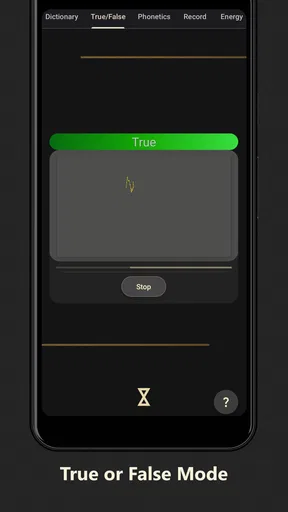
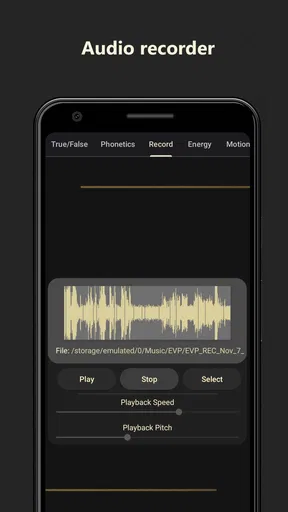
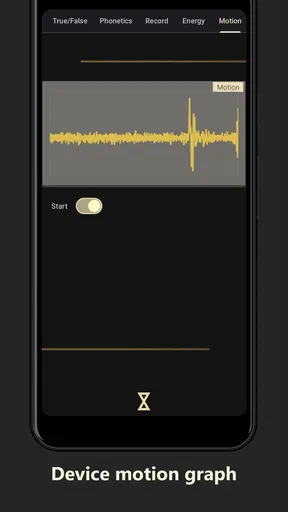
Our Review of Ovibox - Spirit Box & ITC Tool
 Analysis by Appyee
If you're into the mysterious and the unexplained, there’s an app that might just tickle your curiosity—Ovibox - Spirit Box & ITC Tool. I dove into this one with a mix of excitement and a pinch of skepticism, hoping to unravel what it has to offer.
My most useful advice is to treat a session as a small, repeatable experiment rather than a test you expect to pass. Pick a quiet place, decide what you want to explore, and give yourself enough time to notice what the app actually produces. That approach suits a paranormal research tool better than tapping around in a hurry, and it makes it easier to separate an interesting moment from an expectation you brought into the room.
A practical session from start to finish
For a first try, I’d keep things simple: choose one tool, settle somewhere with minimal background noise, and listen before deciding what a sound might mean. If a sound seems to resemble a word, I’d note the impression and continue rather than repeatedly asking the same question until I hear the answer I want. Replaying a moment in your memory can make an ambiguous sound feel more definite than it was.
A realistic use case is a quiet evening with a friend who enjoys spooky stories but doesn’t want a complicated investigation. One person can operate the phone while the other listens and records their first impressions in ordinary notes. Comparing those impressions afterward is more revealing than trying to agree in the moment. If you use the app alone, the same habit helps: jot down what you thought you heard before interpreting it later.
This kind of process doesn’t prove a supernatural explanation. It does make the experience more thoughtful and less dependent on suggestion. I’d also set a personal stopping point before beginning, especially if eerie sounds leave you unsettled. A tool meant for curiosity should remain enjoyable, not turn into an anxious search for signs.
What to check before you begin
Because the app brings together different research tools, I’d read its in-app guide before a session instead of assuming every option works the same way. Start with the descriptions of the Spirit Box and ITC functions, then choose the one that fits your aim. Switching tools repeatedly can make it hard to tell which part of the experience shaped a particular impression.
It’s also worth checking the app’s available controls and presentation options as you explore, without assuming that a setting changes what any sound means. Keep the phone in a consistent position and avoid adjusting several things at once. That gives you a more useful comparison between sessions and helps identify whether a change in your surroundings, rather than a change in the app, affected what you noticed.
Consistency matters more than making a session elaborate. If you want to compare two attempts, keep the location, listening conditions, and general approach as similar as practical. Change one variable at a time. This won’t turn an informal experience into scientific proof, but it can reduce confusion and make your own observations more honest.
First Impressions
So, I fired up Ovibox, and right off the bat, the interface was sleek and welcoming. It didn't have that overwhelming vibe some apps have. Instead, it felt like a guided tour into the paranormal, which was a relief since I’m no ghost hunter. The main menu is straightforward, with easy navigation to all the features. It’s like the app is holding your hand as you venture into the unknown.
Features That Stand Out
The app boasts a variety of tools that are designed for different purposes. First, there's the Spirit Box function. This tool is supposed to allow spirits to communicate through radio frequencies. Now, I know what you're thinking—does it really work? I had the same question. While I didn’t exactly have a full-blown conversation with any ghosts, there were definitely some intriguing sounds that made me raise an eyebrow.
Another cool feature is the ITC (Instrumental Trans Communication) tool. This one uses audio and visual elements to create a medium for spirits to interact. The app provides a selection of ambient sounds and visuals to set the mood, which I found surprisingly immersive. It’s like the app wants you to feel like a paranormal investigator without leaving your couch.
User Experience
Using Ovibox is pretty intuitive. The developers clearly put thought into making the app accessible for both newbies and seasoned ghost enthusiasts. There’s a helpful guide that explains each tool, which is great if you’re feeling a bit lost. I found myself easily switching between features without any glitches or crashes, which is a big plus.
The design is minimalistic yet effective, focusing more on function than flash. This approach works well because it doesn’t distract you from the experience. Plus, the app is lightweight and doesn’t hog your phone’s resources, so you can keep it running in the background without a hitch.
Using it with care and purpose
Ovibox is best suited to people who already know what they want from a paranormal-themed session: a way to explore audio and visual prompts, share a spooky activity with friends, or add structure to personal experiments. Paranormal enthusiasts may appreciate having EVP and ITC-oriented tools in one place, while curious newcomers can use the guide to get oriented. The Lifestyle category also makes sense for an app people may use casually at home rather than as a conventional utility.
It is less suitable if you want dependable evidence, a conventional recording or audio-editing app, or an experience that explains every sound in ordinary terms. For those goals, a standard recorder and careful note-taking are better choices. A recorder captures what is audible without framing it as communication; Ovibox instead makes the session feel paranormal by design. That distinction is important, especially if you are comparing impressions with friends.
For a more considered routine, I’d begin with the guide, choose either the Spirit Box or ITC tool, and avoid changing approaches midway through a short session. If you want to repeat the experiment another evening, keep your question style and listening conditions similar. This is a practical way to spot how much your interpretation depends on context, not a claim that the app verifies a response.
Spooky or Skeptical?
Alright, let’s get real for a second. Does it actually work? That’s the million-dollar question. While I didn’t witness any floating objects or ghostly apparitions, the app did provide some eerie moments that got my heart racing. I’d say it’s more about the experience and the thrill rather than hard evidence of the supernatural. It’s like reading a good ghost story—you’re in it for the chills and the fun.
If you’re a hardcore skeptic, you might not be convinced. But if you’re open to exploring the unknown or just want a fun app to play around with during a spooky night in, Ovibox is worth a shot.
Limits, cost, and who should skip it
I wouldn’t use the app as a substitute for proof or as a way to make serious decisions. Sounds and visual impressions can be ambiguous, and the atmosphere of a session can influence what listeners think they notice. Keeping that limitation in mind is not a flaw in the fun of the experience; it is simply the sensible boundary between an engaging paranormal activity and a reliable method of establishing what caused a sound.
Ovibox is a paid app at $9.99, so I’d consider whether you expect to return to this kind of activity before buying it. If you only want a one-off scare, a ghost story or a free audio experience may be enough. The app has an Everyone age rating, but younger users may still benefit from an adult helping frame the experience as imaginative exploration rather than confirmed contact with spirits.
Paranormal Tech United develops the app, which is at version 3.0.0.8 and requires Android 6.0 or later. It has an average rating of 4.4 from around 429 ratings, with 189 written reviews and over 10,000 installs. Those figures suggest it has found an audience, but they cannot tell you whether its style will suit your own expectations. I’d use the price, your interest in EVP and ITC, and your comfort with an intentionally eerie atmosphere as the more useful decision points.
Final Thoughts
In the end, Ovibox - Spirit Box & ITC Tool offers an intriguing dive into the world of the paranormal. It’s user-friendly, packed with features, and just the right amount of spooky. Whether you’re a believer or a skeptic, it’s a fun tool to explore and maybe, just maybe, connect with the other side. So, if you’re up for an adventure, grab your phone, dim the lights, and see what the spirits have to say!
My recommendation is to approach it as a deliberately eerie experience, not a guarantee of communication. Used with a steady routine and a little skepticism, it can make a memorable evening activity and give paranormal enthusiasts a focused place to explore. If you want neutral documentation or convincing evidence, choose a different tool; if you want a guided, atmospheric way to play with EVP and ITC ideas, Ovibox is easier to recommend.
Verdict
Strengths of Ovibox - Spirit Box & ITC Tool
- Intuitive user interface, easy to navigate.
- Real-time audio processing for accurate results.
- Customizable settings for personalized use.
- Includes a variety of ITC tools.
- Updated regularly with new features.
Limitations of Ovibox - Spirit Box & ITC Tool
- Requires a stable internet connection.
- Limited free features without purchase.
- Can be battery intensive during use.
- Interface may be overwhelming for beginners.
- Audio artifacts can be misleading.
Similar Picks in This Category
View All
SmartThings
Samsung Electronics Co., Ltd.4.6

Google Home
Google LLC4.0

Pinterest4.2

Astrotalk - Talk to Astrologer
Astrology & Horoscope4.7

My Verizon
Verizon Consumer Group4.5

Samsung Wallet (Samsung Pay)
Samsung Electronics Co., Ltd.4.1
Frequently Asked Questions
What is Ovibox - Spirit Box & ITC Tool used for?
Ovibox is designed for users interested in paranormal investigations. It functions as a Spirit Box and ITC (Instrumental Transcommunication) tool, allowing users to attempt communication with spirits or entities. It uses sound banks and sensors to produce audio clips believed to be spirit responses. This app is popular among enthusiasts of ghost hunting and paranormal research.
How does Ovibox ensure accuracy in spirit communication?
Ovibox uses a variety of pre-recorded sound banks, along with environmental sensors, to create potential patterns or messages. While the app is designed with advanced algorithms to enhance the experience, it should be noted that results can be subjective. Many users consider the app more of an entertainment tool rather than a scientifically accurate device.
Is Ovibox - Spirit Box & ITC Tool free to use?
Ovibox offers a free version with basic functionalities. However, to access advanced features and additional sound banks, users may need to purchase the full version or subscribe to premium services. This structure allows users to try the app initially and decide if they want to invest in more features.
What devices are compatible with Ovibox?
Ovibox is available for both Android and iOS platforms, making it accessible to a wide range of smartphone users. It requires a stable internet connection and the latest OS updates for optimal performance. Users should ensure their device meets the minimum system requirements listed in the app store before downloading.
Are there any safety concerns while using Ovibox?
While Ovibox is safe to use from a software standpoint, users should be cautious about their environment during paranormal investigations. It's recommended to be in a safe, familiar location. Additionally, users should be aware of their own comfort levels when engaging in activities involving supernatural themes, as these can sometimes be unsettling.
